 Pay2Value
Pay2Value › Auto-capture apps
Auto-track spending from 37 Malaysian payment apps
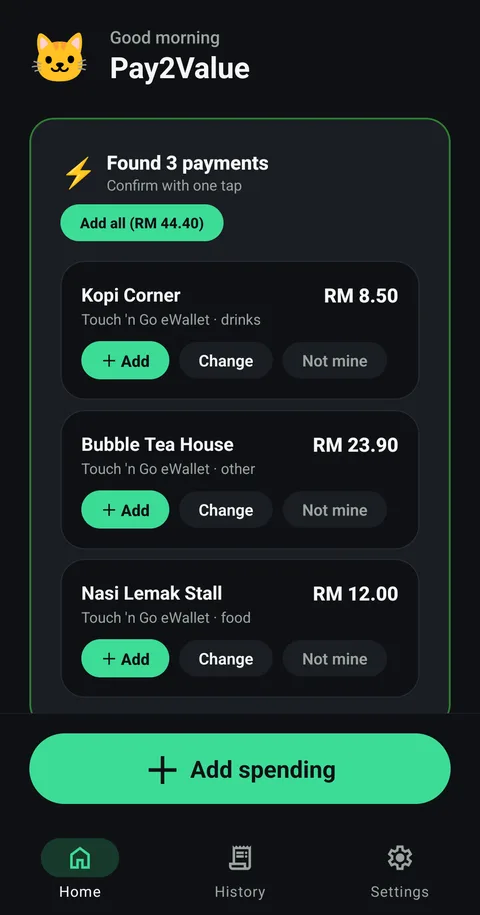
Pay with Touch 'n Go eWallet, ShopeePay, MAE or your bank app as usual. When the payment notification arrives, Pay2Value suggests the entry and you confirm it with one tap.
How it works
Give Pay2Value notification access once (Android asks you to confirm).
Pay as usual. Your payment app shows its normal notification.
Pay2Value finds the amount and the shop, and shows it on the Home screen.
Tap Add, Change or Not mine. Nothing is saved until you confirm.
Is it safe?
Everything happens on your phone. Pay2Value has no server and never asks for bank logins or card numbers. It only looks at notifications from the payment apps below, and you can turn notification access off in Android settings at any time.
It works when the payment app shows a notification for the payment, so keep notifications on for that app.